
Your team has a feature idea. Sales loves it, the founder has a strong opinion, and design already has mockups. The problem is that nobody knows whether customers want it, understand it, or would switch behavior because of it.
That's where product research surveys earn their keep. They turn assumptions into evidence before you spend months building the wrong thing. Used well, they help you answer practical questions fast: Which problem matters most, which message lands, which audience segment is specifically interested, and where users get confused.
Product failure rarely happens because surveys were skipped entirely. Instead, teams often struggle because they ask vague questions, target the wrong audience, and mistake a high volume of responses for genuine insight. The difference between a useful survey and a waste of time usually comes down to objective, design, sampling, and analysis.
Table of Contents
- Why Product Research Surveys Are Your Best Bet
- Setting Clear Objectives and Choosing Your Survey Type
- How to Write Survey Questions That Actually Work
- Reaching the Right People Through Sampling and Distribution
- From Raw Data to Actionable Insights Analyzing Results
- How to Implement and Scale Surveys with BuildForm
- Product Research Survey FAQs
Why Product Research Surveys Are Your Best Bet
When a team is moving quickly, surveys are often the fastest way to test whether an idea has substance. They're not perfect, and they won't replace interviews, analytics, or usability testing. But they do something those methods often can't do as efficiently. They let you ask the same question to many people in a structured format and compare answers without guesswork.
That matters because product decisions usually fail in familiar ways. Teams overvalue the loudest customer, confuse anecdote with pattern, or ask support and sales to stand in for the entire market. A good product research survey doesn't eliminate judgment. It gives judgment better inputs.
Online surveys have become the dominant quantitative method in market research, with 85% of market research professionals reporting regular use as of 2026 according to Backlinko's market research statistics roundup. That adoption tells you something simple. Surveying is no longer a niche research activity. It's a standard operating tool for validating demand and testing decisions.
Practical rule: If the decision affects roadmap, positioning, pricing cues, onboarding, or packaging, you need evidence from customers before you need another meeting.
The value of product research surveys is highest when the team needs one of three things:
- A fast read on demand: Is this problem real enough to prioritize?
- A ranking of trade-offs: Which feature, message, or workflow matters most?
- A clearer segmentation model: Which users care, and which users don't?
Surveys are your best bet when you need breadth with structure. Interviews give depth. Analytics show behavior. Product research surveys help connect the two. They let you ask, at scale, what people want, what they expect, and how they describe the problem in their own words.
Setting Clear Objectives and Choosing Your Survey Type
Most bad surveys start before the first question is written. The team never got specific about the decision the survey is supposed to support. So the form becomes a grab bag of curiosities, and the results are impossible to act on.
Start with one decision
A useful survey starts with a sentence like this: “We need to decide whether to build X, position Y, or prioritize Z for this audience.” That sentence forces focus. If you can't finish it clearly, the survey isn't ready.
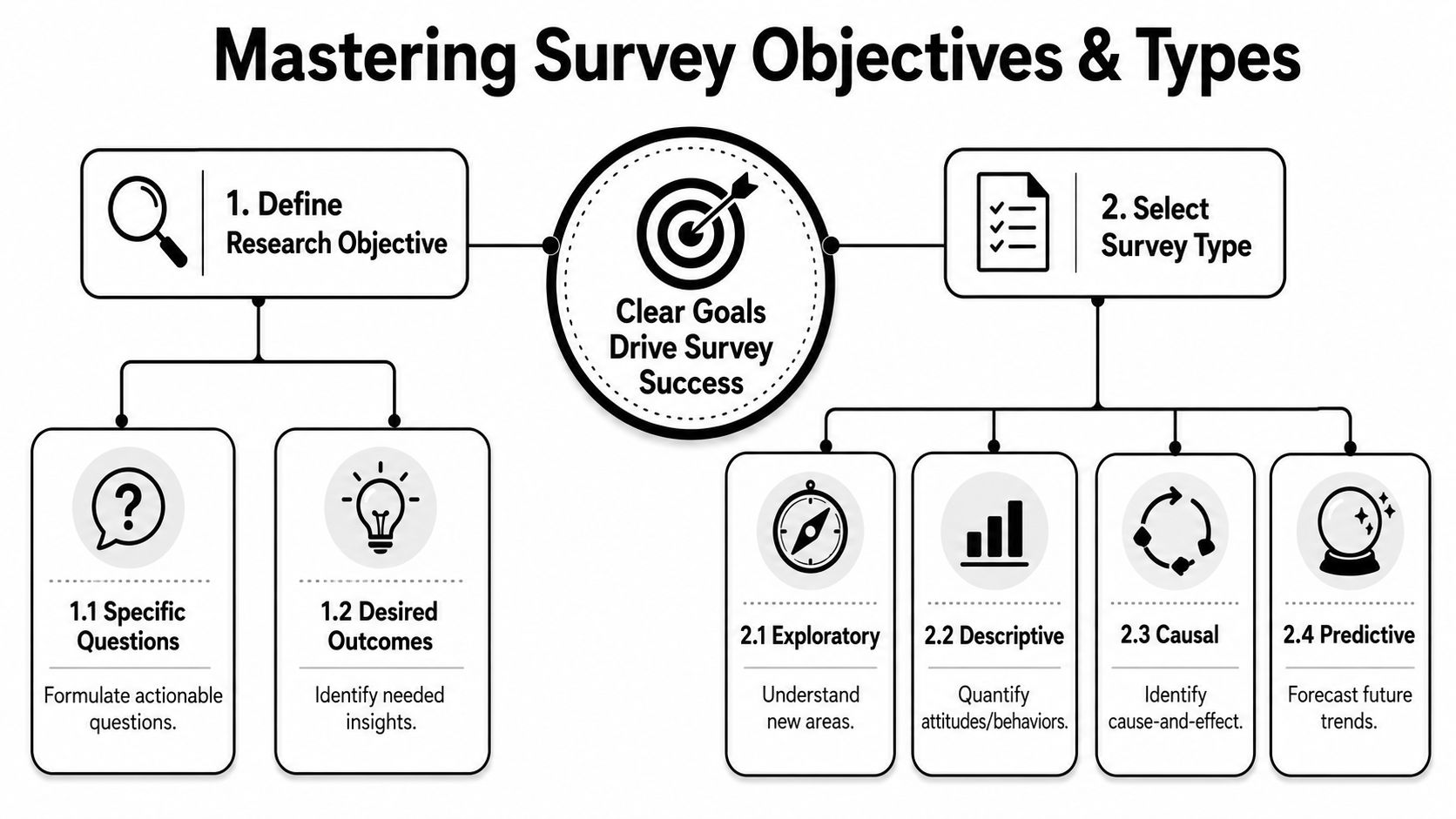
Here's the filter I use with junior teams before launch:
- Name the decision: “Should we build the integration?” is better than “Learn about integrations.”
- Name the audience: Existing customers, churned users, trial users, enterprise admins, first-time buyers. Don't say “users” if you mean one slice.
- Name the output: Ranking, preference, barrier, willingness, language, or unmet need.
- Name the threshold for action: What result would make you proceed, pause, or change direction?
If you skip that discipline, you get soft conclusions like “people seem interested.” That's not a product input. That's a shrug with charts.
For teams that need a broader planning framework before designing surveys, these market research tips for startups are useful because they force you to connect research activity to a business decision instead of treating research as homework.
Match the survey to the job
Different survey types answer different questions. The mistake is using one format for every problem.
| Survey Type | Primary Objective | Example Question |
|---|---|---|
| Concept testing survey | Evaluate reaction to a new product or feature idea | Which of these concepts best solves the problem you have today? |
| Feature prioritization survey | Compare the relative value of possible improvements | Which of these improvements would make the biggest difference in your workflow? |
| Product-market fit survey | Gauge whether the product solves a meaningful problem for a defined audience | How would you feel if you could no longer use this product? |
| Kano-style survey | Separate basic expectations from delight factors | How do you feel if this feature is present, and how do you feel if it's absent? |
| Customer satisfaction survey | Understand sentiment after use or delivery | How satisfied were you with this experience? |
| Onboarding or activation survey | Identify friction during setup or early use | What nearly stopped you from completing setup today? |
A few practical trade-offs matter here.
- Concept testing surveys are useful early, but they can overstate interest because people are reacting to a description, not committing to behavior.
- Feature prioritization surveys help when the roadmap is crowded, but they work best if the feature list is short and clearly described.
- Product-market fit surveys are sharp for mature enough products, but weak if respondents haven't experienced enough value yet.
- Satisfaction surveys are easy to launch and easy to misuse. Satisfaction doesn't always predict retention or expansion.
A survey should answer one business question well. If it tries to answer five, it usually answers none.
If you're unsure which type to use, start from the decision point, not the template library. Templates are fine. Copying a popular survey format without matching it to the job is how teams collect neat-looking noise.
How to Write Survey Questions That Actually Work
The quality of your insight is capped by the quality of your questions. If the wording is sloppy, the data will look precise while hiding confusion underneath. That's one of the easiest traps in product research surveys because a spreadsheet full of responses can create false confidence.
Write for clarity, not cleverness
Respondents shouldn't have to decode your language. If a user has to reread a question, you've already introduced friction and interpretation error.

The usual offenders show up in nearly every early draft:
- Leading questions: “How helpful was our improved dashboard?” assumes improvement.
- Double-barreled questions: “How satisfied are you with the speed and usability?” asks two things with one answer slot.
- Loaded wording: “Why do users ignore advanced settings?” bakes in judgment.
- Jargon-heavy phrasing: “How valuable is asynchronous workflow orchestration?” means one thing to product, another to customers, and nothing to many respondents.
A better way to test a question is to ask, “Could two reasonable people interpret this differently?” If the answer is yes, rewrite it.
Use concrete timeframes when memory matters. “In your last order” beats “usually.” “During setup today” beats “when onboarding.” Specificity doesn't make a survey longer. It makes answers cleaner.
Choose the right question format
Closed-ended questions help you compare responses quickly. Open-ended questions tell you why people answered the way they did. Strong surveys use both, but not randomly.
Closed-ended questions are best when you need:
- Comparison: ranking concepts, features, or pain points
- Segmentation: separating new users from experienced users
- Quantification: seeing which opinion shows up most often
Open-ended questions are best when you need:
- Language: how customers describe the problem
- Discovery: what you forgot to include in your options
- Depth: why a choice was made
Here's the practical balance. Ask closed-ended questions first to structure the answer space. Then use one open-ended follow-up where it counts. Don't put five essay boxes in a row and expect thoughtful responses.
A few examples:
| Weak question | Better question | Why it works better |
|---|---|---|
| Do you like our product? | Which part of the product is most valuable in your current workflow? | It focuses on use, not vague sentiment |
| Would you use this feature? | In which situation would this feature be useful to you, if any? | It allows for relevance or non-relevance |
| Is onboarding clear? | What, if anything, felt confusing during setup? | It uncovers friction instead of prompting praise |
Ask about behavior when you can. Ask about opinion when you must. People are better witnesses to their experience than prophets of their future behavior.
Use skip logic to cut dead weight
One of the fastest ways to lose respondents is to show them questions that don't apply. Irrelevant questions feel like standing in the wrong line at the airport. You're still moving, but every minute makes people more annoyed.
That's why skip logic matters. According to Pollfish's guidance on survey software for market research, advanced skip logic and branching pathways are critical for reducing survey abandonment because they route people only to relevant questions and reduce cognitive load.
In practice, that means:
- If someone says they've never used the feature, don't ask them to rate its quality.
- If a respondent is an admin, ask admin questions. Don't force them through end-user flows.
- If someone selects “other,” open a text field. If they don't, keep moving.
Modern form tools outperform static versions through advanced logic. Branching lets you personalize the path without writing separate surveys for every segment. The result is cleaner data, less fatigue, and fewer garbage responses from people clicking anything just to finish.
A strong question set is short, neutral, and adaptive. If your survey reads like a document your team wrote for itself, rewrite it until it sounds like something a customer can answer in one pass.
Reaching the Right People Through Sampling and Distribution
A well-written survey sent to the wrong audience is like a well-built thermometer placed in the shade when you're trying to measure sunlight. The instrument may work. The reading still misleads you.

Sampling is about fit, not volume
Junior teams often ask, “How many responses do we need?” The more useful question is, “Who needs to answer for this decision to be credible?” If you're prioritizing improvements for power users, then responses from casual users can dilute the signal instead of strengthening it.
Think of sampling like tasting soup. Ten spoonfuls from the top won't tell you what's at the bottom if the pot wasn't stirred. Product research surveys work the same way. If your sample is skewed toward one behavior, lifecycle stage, or customer type, your result may be consistent and still wrong.
Common bias shows up in familiar forms:
- Selection bias: only the most engaged customers respond
- Non-response bias: the people who ignore the survey differ in important ways from those who complete it
- Channel bias: an in-app survey only reaches active users, not churned users or prospects
- Timing bias: a survey sent right after a product incident captures more frustration than usual
The fix isn't perfection. It's deliberate recruitment. Define the audience first, then choose distribution. If you need help sourcing fit-for-purpose respondents, this guide on how to find research participants is a practical starting point.
Accessibility changes who answers
Many teams treat accessibility as a design polish issue. In survey research, it changes the composition of your data.
Research noted by Internet Vibes on underserved customer segments points out that businesses and consumers don't always have equal access to technology. In survey practice, that means a one-size-fits-all form can exclude the exact people you're trying to understand.
That exclusion happens in ordinary ways:
- Long pages on mobile: users abandon before they finish
- Dense wording: respondents with lower literacy or non-native fluency drop off
- Poor contrast or weak form controls: some users can't comfortably complete the survey
- Desktop-first layouts: people on phones get a worse experience and weaker patience
If a survey is hard to complete on a phone, hard to scan, or hard to understand quickly, you're not measuring demand cleanly. You're measuring who had the time and patience to fight your form.
This matters even more when you're researching newer markets, lower-tech environments, or underrepresented user groups. Accessibility isn't just ethics here. It's methodology.
A useful companion on distribution and respondent quality is this short video:
Pick the channel that matches the moment
Distribution channel should follow context, not habit.
If you're studying onboarding friction, an in-app or on-page intercept can work because the experience is fresh. If you're testing concept demand among prospects, email lists, panels, partner communities, or outbound recruitment may make more sense. If you need feedback from churned users, sending the survey only inside the product guarantees you'll miss them.
A simple working guide:
| Channel | Best use case | Main caution |
|---|---|---|
| In-app prompt | Active user workflows and feature feedback | Misses inactive and churned users |
| Existing contacts and post-experience follow-up | Easy to ignore if the ask is weak | |
| Website intercept | Visitor intent and conversion friction | Keep it brief or it becomes a nuisance |
| Sales or CS outreach | High-value accounts and targeted segments | Responses may skew toward relationship dynamics |
| External panel or recruiter | New audiences and niche segments | Screening quality matters a lot |
Incentives can help, but they also change behavior. Offer enough to respect the respondent's time. Don't make the reward the main reason people complete the survey, or you'll attract speed-runners instead of thoughtful answers.
From Raw Data to Actionable Insights Analyzing Results
A survey doesn't create value when responses arrive. It creates value when someone can make a better decision because of what the responses mean. That's where many teams stall. They collect data, export it, build a dashboard, and stop one step before interpretation.
Read the numbers before you read the comments
Start with the structural checks. Look at completion patterns, drop-off points, answer distributions, and segment splits. If half the audience abandoned after a certain question, that question may be flawed, too early, or irrelevant to too many respondents.
Then review the core findings against the original decision. Which option was chosen most often? Which pain point appeared across the priority segment? Where do new users answer differently from experienced users?
Use a basic analysis sequence:
- Clean the responses: remove junk entries, duplicates, and obvious low-effort answers.
- Segment the dataset: separate by persona, lifecycle stage, plan type, use case, or behavior.
- Compare patterns: don't just ask what won overall. Ask who answered differently.
- Flag uncertainty: if a result is mixed, say it's mixed.
That last point matters. Product teams often force a tidy story out of messy evidence. Resist that. Ambiguity is still a finding if it tells you the market isn't aligned.
Turn open text into themes
Open-ended responses are where the reasons live. They also become unusable if you don't code them.
The practical method is simple. Read through a batch of responses, create a short list of recurring themes, and tag each comment to one or more themes. Those themes might be “too expensive,” “unclear setup,” “missing integration,” “trust concern,” or “not relevant.”
If your team needs a working process for coding and synthesizing text responses, this guide on how to analyze qualitative data is a solid reference.
A few rules keep qualitative analysis honest:
- Use customer language: don't rename every complaint into internal product jargon
- Separate frequency from intensity: one strongly worded issue may matter, but don't treat it as a trend without support
- Pull verbatims carefully: use short excerpts to illustrate themes, not to replace analysis
Good analysis answers three questions in order. What happened, why it happened, and what the team should do next.
End with a decision, not a deck
Stakeholders don't need every chart. They need a recommendation they can act on.
A useful summary usually fits on one page:
| Question | Answer |
|---|---|
| What did we learn? | State the clearest pattern without hedging away the point |
| Who does it apply to? | Name the segment or context |
| What should we do? | Recommend build, pause, refine, test further, or change positioning |
| What remains unclear? | List the open questions honestly |
That format prevents a common failure mode. Teams present findings as a museum tour of data rather than a decision memo. Product research surveys should reduce uncertainty enough to move. If the analysis doesn't change what the team does next, either the survey was poorly scoped or the readout was.
How to Implement and Scale Surveys with BuildForm
Many product organizations do not struggle with the concept of research. They struggle with the mechanics. Someone has to draft the questions, set up branching, embed the form, monitor drop-off, push responses into the rest of the workflow, and revise the survey when quality issues appear. If that setup is painful, research happens less often than it should.
Embed research where behavior happens
One blind spot in traditional survey practice is timing. Brands often ask for feedback after the experience, when memory has already blurred the friction. Luth Research notes a notable gap in how brands gather feedback in real time, which means teams miss signals about confusion and intent during the experience itself.
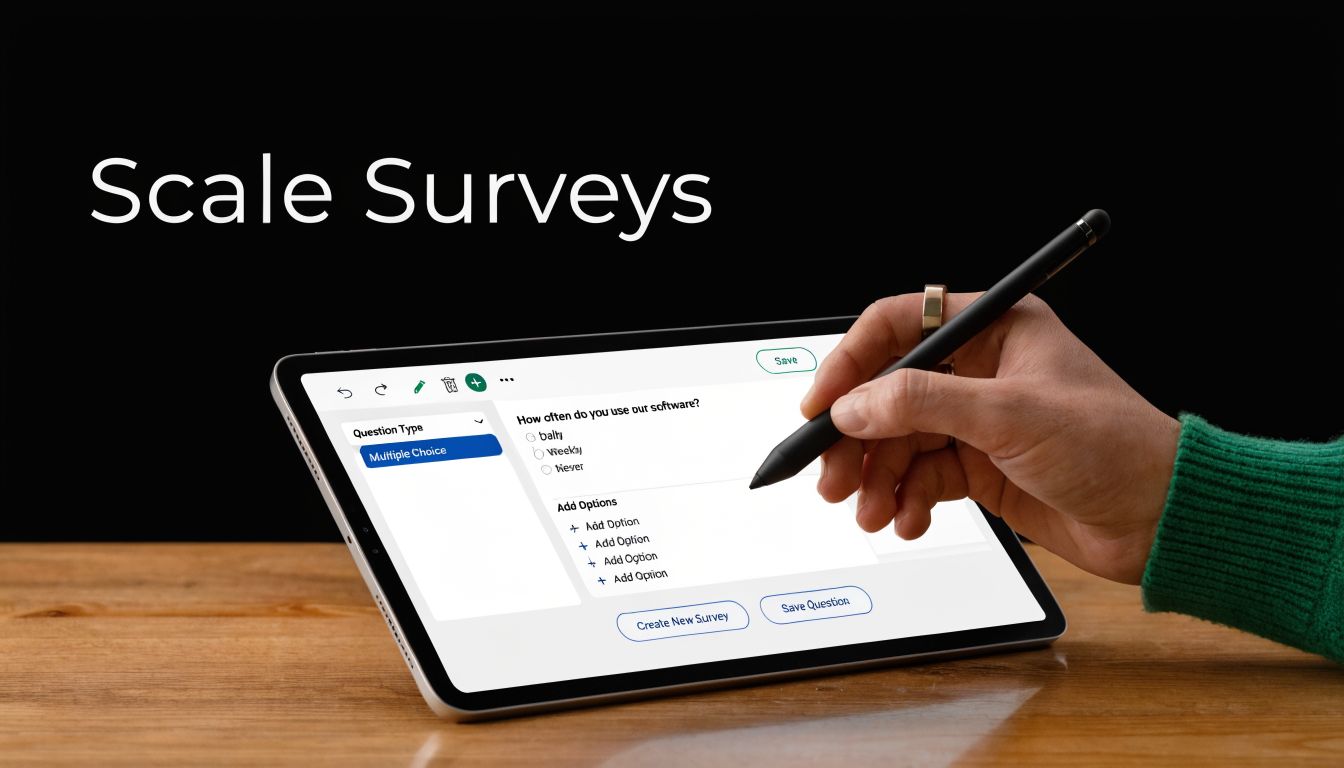
That's where embedded, adaptive forms are useful. Instead of waiting until the user leaves, you can ask a short question at the moment of hesitation, choice, or drop-off. For example:
- a pricing page visitor can be asked what's preventing signup
- a trial user can be asked what they expected to do first
- a shopper can be asked what information is still missing before purchase
BuildForm is one option for this workflow. It supports conversational forms, no-code conditional flows, AI-generated questions, partial submission tracking, and embedded deployment, which makes it suitable for running product research surveys inside real user journeys rather than only as standalone forms. Teams comparing tools for that use case may also want to review this overview of BuildForm as an AI-powered form alternative.
Use automation carefully
AI can speed up survey creation, but it can also mass-produce mediocre questions. The right use of automation is assistance, not outsourcing judgment.
Useful applications include:
- Drafting first-pass questions: especially when you need variants for different segments
- Suggesting branching paths: based on product role, use case, or prior answer
- Summarizing open-ended responses: to accelerate early theme spotting
- Highlighting drop-off patterns: so the team can revise friction points faster
Less useful applications include letting AI generate the entire survey with no review, or accepting polished wording that sounds smart but hides ambiguity. The same old mistakes still apply. A machine can write a leading question just as efficiently as a person can.
Build an operating rhythm
Scaling research doesn't mean launching giant studies every quarter. It usually means creating a repeatable system for small, focused feedback loops.
A practical operating rhythm looks like this:
| Cadence | Survey use | Output |
|---|---|---|
| Weekly | In-flow friction checks on key pages or steps | Fast issue spotting |
| Monthly | Feature, messaging, or onboarding pulse by segment | Prioritized improvements |
| Quarterly | Broader market or customer need validation | Roadmap and positioning input |
The teams that get the most value from product research surveys treat them as part of product operations. They don't wait for a crisis, a redesign, or executive pressure. They maintain a steady stream of focused questions tied to live decisions.
That's the bridge from theory to execution. A modern form stack makes advanced survey design easier, but the advantage comes from using it consistently, close to the moment where users are making choices.
Product Research Survey FAQs
How long should a product research survey be
As short as the decision allows. If you can remove a question without hurting the decision, remove it. Short surveys usually produce better completion and cleaner attention, especially on mobile.
A good rule is to ask only what you're prepared to act on. Teams often add “nice to know” questions that create fatigue but never influence the roadmap.
What counts as a good response rate
There isn't one universal answer because response quality depends on audience, channel, timing, and incentive. An in-app survey shown to active users behaves differently from an email survey sent to cold contacts.
Judge response quality by relevance and completeness, not by one magic benchmark. If the right audience answered, completed thoughtfully, and gave you enough signal to make the decision, the survey did its job.
How many people do we need to survey
Start from the decision and the segments that matter. If you're testing a broad positioning question, you need enough responses across the audiences you care about to compare patterns with confidence. If you're exploring a niche workflow for a narrow user group, fewer high-fit responses can be more useful than a large mixed sample.
Don't chase volume for its own sake. A smaller, relevant sample beats a larger, muddy one.
Should one survey mix quantitative and qualitative questions
Yes, often. That mix is usually stronger than using only one style.
Use structured questions to compare and rank. Then add one or two open-ended questions where you need explanation. The key is restraint. If every question asks for a paragraph, completion quality drops.
What should we do with negative feedback
Treat it as product input, not a personal attack. Negative feedback is often the fastest route to unmet needs, broken assumptions, and confusing workflows.
Sort criticism into three buckets:
- Signal about a real problem: multiple respondents describe the same friction
- Segment-specific mismatch: the complaint is valid, but only for a certain audience
- Noise: isolated or contradictory comments with no pattern behind them
When a survey surfaces hard feedback, the team should ask two things. Is this recurring, and is it strategically important? If both answers are yes, that feedback belongs in prioritization.
How often should we run product research surveys
More often than is common practice, but with a narrower scope each time. Frequent, focused surveys are easier to analyze and easier to act on than sprawling forms launched occasionally.
The best rhythm is the one your team can sustain. Consistency beats ambition.
If you want to turn product research surveys into a repeatable part of product and growth work, BuildForm is worth considering. It gives teams a way to create adaptive, conversational forms, embed them in live user journeys, route respondents with conditional logic, and monitor partial submissions so survey quality can improve over time.